Shopify Checkout Extensibility, Explained for Merchants (Not Developers)
Shopify replaced its old checkout customization system. Here's what actually changed, the real deadlines, and what you need to do about it.
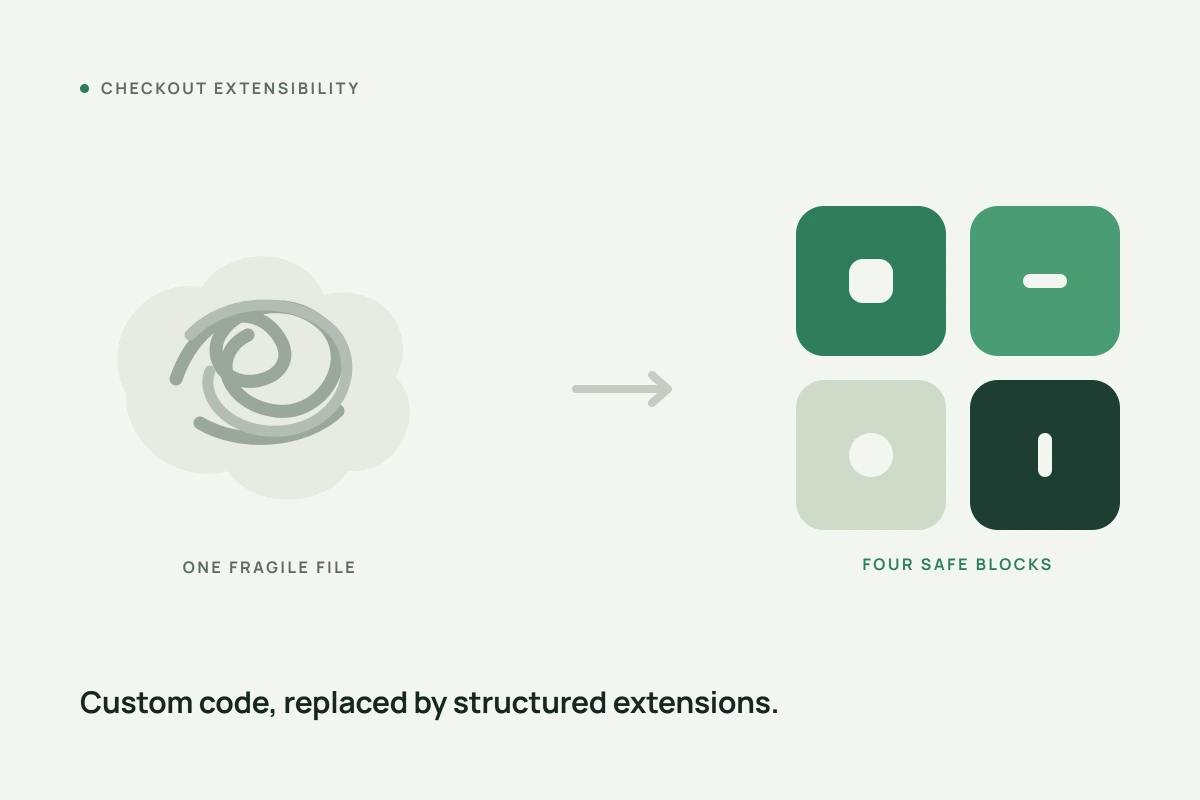
If you've seen a banner in your Shopify admin about "checkout extensibility" and clicked past it without really reading it, you're not alone. Most of what's written about this topic is aimed at developers. Here's the plain-English version for everyone else.
What actually changed
For years, Shopify Plus merchants who wanted to customize their checkout, add trust badges, change layout, insert custom logic, did it by directly editing a file called checkout.liquid. It worked, but it was fragile. A single stray script could slow the page down, break the next time Shopify shipped a platform update, or open a security gap, since custom code ran in the same environment as Shopify's own checkout.
Shopify has been phasing that system out in favour of something called Checkout Extensibility, a structured, sandboxed way to customize checkout that doesn't touch the underlying code directly. According to Shopify's own developer documentation, the timeline has run in stages:
- August 13, 2024: checkout.liquid was deprecated for the Information, Shipping, and Payment pages.
- August 28, 2025: checkout.liquid and Additional Scripts were sunset for the Thank You and Order Status pages, and Script Tags were sunset for Plus stores.
- August 26, 2026: Script Tags were sunset for non-Plus stores, a deadline that has just passed.
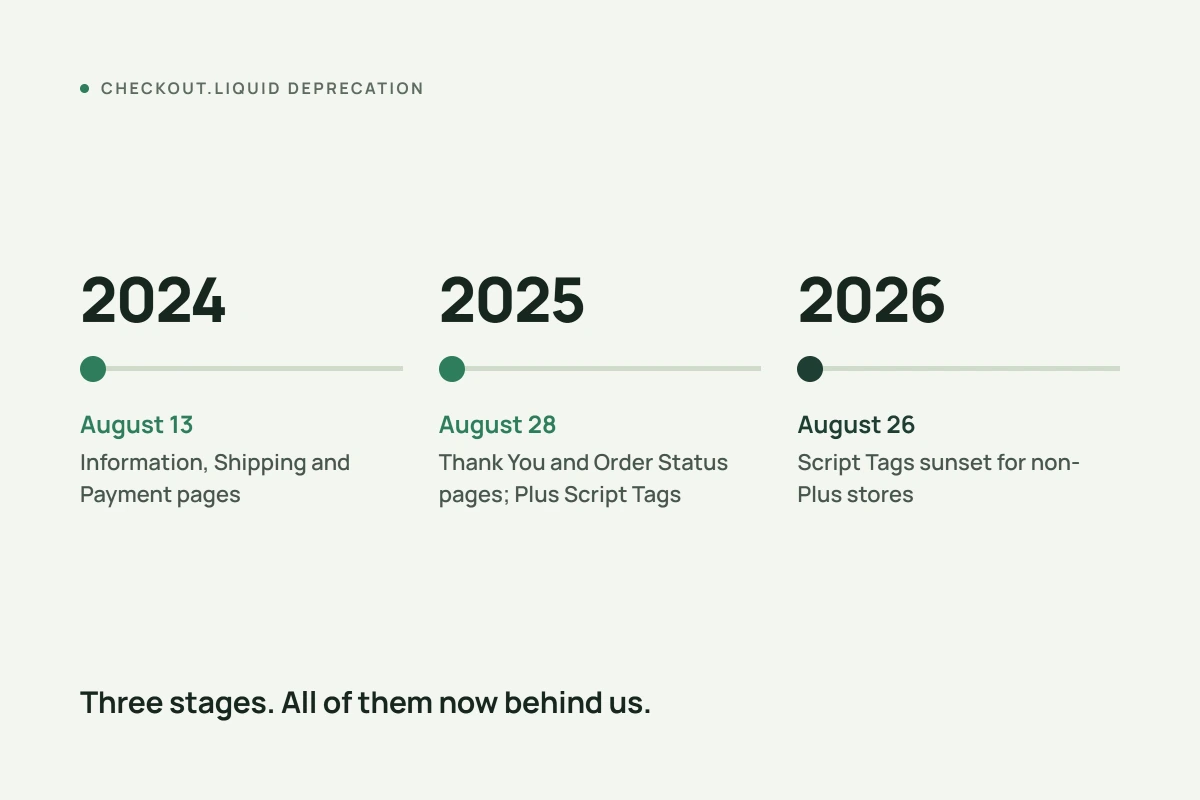
If your store still has custom checkout.liquid code running, it's already been affected, or is about to be.
What Checkout Extensibility actually gives you
Instead of one open-ended file, Checkout Extensibility is built from four structured tools:
- UI Extensions, which let you add content, banners, upsells, trust badges, to specific approved spots in checkout.
- Shopify Functions, which handle server-side logic like custom shipping rules or discount eligibility.
- Shopify Pixels, for tracking and analytics without injecting raw scripts.
- The Checkout Editor and Branding API, which control the visual styling of checkout, colours, fonts, layout, to match your storefront.
The full toolkit, including the Checkout Editor and Branding API, is available on Shopify Plus. Standard Shopify plans customize checkout by installing apps from the App Store that are themselves built on Extensibility, rather than writing custom extensions directly.
Why Shopify made the change
Shopify's own stated reasoning, and the reasoning echoed consistently across developer agencies who've worked through the migration, comes down to three things: security, since sandboxed extensions can't run in the same space as sensitive checkout code the way open-ended scripts could; performance, since checkout no longer breaks every time Shopify ships a platform update; and compliance, since accessibility, PCI, and GDPR requirements are easier to maintain when Shopify controls the checkout's core structure centrally rather than merchants each running their own custom version.
Do you actually need to do anything?
If you're on a standard Shopify plan and you've never edited checkout.liquid directly, this change mostly happens behind the scenes. You'll interact with Checkout Extensibility through apps, not code.
If you're on Shopify Plus and have custom checkout.liquid code still in place, or an app that relies on Script Tags, the practical steps are:
- Check your admin for a migration notice. Shopify typically flags stores with active checkout.liquid customizations.
- Catalogue what your custom code actually does. Trust badges, upsells, custom shipping logic, tracking, list it out.
- Map each item to its Extensibility equivalent. Most customizations have a direct UI Extension or Function equivalent. Some genuinely don't and will need to be rebuilt differently.
- Test before you publish. Build in a development store with the same theme and apps before promoting anything live.
For most merchants without in-house developers, the simplest path is choosing apps that already use Extensibility under the hood, rather than building custom extensions from scratch.
Key takeaways
Checkout Extensibility isn't Shopify adding complexity for its own sake. It's a genuine platform shift toward a checkout that's harder to accidentally break and easier to keep secure and compliant. The deadlines are real and mostly behind us now, but if your store still has legacy checkout.liquid code, it's worth checking your admin today rather than assuming it's someone else's problem.
Frequently Asked Questions
What is Shopify Checkout Extensibility?
It's Shopify's modern, sandboxed system for customizing checkout, replacing the older checkout.liquid file. It's built from four tools: UI Extensions, Shopify Functions, Shopify Pixels, and the Checkout Editor and Branding API.
Do I need Shopify Plus to use Checkout Extensibility?
The full toolkit, including the Checkout Editor and Branding API, is available on Shopify Plus. Standard Shopify plans customize checkout through apps built on Extensibility rather than direct custom extensions.
What happens if I still have checkout.liquid code?
Depending on which page it affects, it may already be non-functional. The Information, Shipping, and Payment pages stopped supporting checkout.liquid in August 2024, and the Thank You and Order Status pages followed in August 2025. Checking your Shopify admin for a migration notice is the fastest way to know your status.
Will Checkout Extensibility break my store's design?
No. Checkout Extensibility is designed to work alongside your existing theme rather than replace it. The checkout design layer is separate from your storefront theme, and extensions are built to work consistently across themes.
References
- Shopify. Liquid objects: checkout, shopify.dev.
- Shopify. checkout.liquid, shopify.dev/docs/storefronts/themes/architecture/layouts/checkout-liquid.